
Regardless of your industry, there’s a good chance your organization has multiple departments working together to keep business rolling ahead. This includes Operations, Finance, Sales, Marketing, Customer Service, and maybe you have others, too. We’re here to share that it’s more straightforward than you might have thought to implement or design solutions to business problems for every department with Zoho applications.
You’ll see here an overview of the Zoho solutions offered for each department of your business; however, this quick article is just meant to get thoughts flowing. In other words, it’s just the start of what Zoho can do.
If you could solve your business problems head on with a Zoho solution, how much time would open up for innovation in your organization?
Let’s take a look at what Zoho has to offer for each department in your organization:
Operations
It’s a hefty lift finding an all-in-one solution for operational problems; however, within Zoho’s more than 40 applications they exist. Certainly, there’s a good chance that you don’t need – or really want – that many apps to run your business. This is where Zoho One comes into play.

While the 40+ integrated applications encompass everything from CRM, finance, email newsletters, and
documents, to project management, inventory, and more; you can choose which fit your business needs. You simply need a username and password, integrate your applications, and you’re set; one dashboard to rule all. In your operations department some highlight features include:
- Project management style flexibility lets you choose from waterfall, agile, and kanban task boards.
- Team communication, collaboration, and client portal options ease keeping in touch with dispersed teams and customers.
- Order fulfillment, multi-channel selling, and warehouse management tools.
- The ability to create apps that meet the needs of specific business processes, like a Zoho ERP app developed on Zoho Creator.
- And we’ve only scratched the surface…
Finance
Zoho Books offers tax compliance, and is integrated with 40+ of Zoho’s applications – or whichever you choose to use – for visibility across your business. You’ve got the basics and more covered in this full-scope solution including being able to see those details about your contacts, time tracking, banking, inventory, payables, receivables, and robust reporting.
 Streamline all of your back office duties with Zoho Books and organize all of your transactions in one place. If this isn’t the solution for you, Zoho also integrates with other solutions Quickbooks, but given this set of features you may want to take a closer look at Zoho Books:
- Collect online payments securely and quickly.
- Keep records of all your invoices, estimates, credit notes, and even recurring invoices in one place.
- Convert estimates to invoices in just a few clicks.
- Automatically remind overdue clients with payment reminders.
- Never lose a minute of billable hours by monitoring and tracking how labor is spent in your company.
- Manage inventory and even automate redundant tasks
- Capture and view all financial information related to your asset, liability, revenue, or expense accounts and organize them how you want.
- Simplify tax season in just a few clicks to generate tax reports so you are set when tax season arrives.
Customer Service
Zoho Desk customer service app provides the platform you need for customer support teams ranging from startup to enterprise. Scaled capabilities make it easy to get the basics like customer feedback and a ticketing system, with the option to grow and add more. With small business features you gain even more capability such as:
- Automate routine tasks using blueprint,
- Optimize resource management by connecting clients with the proper support agent,
- Improve customer experience with team collaboration,
- And just like every Zoho app, the data is there and ready to meet your insights and analytics needs.

Marketing
Marketing departments are often called upon to design solutions to business problems, and the tools from Zoho certainly help! You’ll find an arsenal of applications in Zoho to support your marketing efforts from website creation and testing, to email marketing and social media. And because they integrate with CRM and the rest of the Zoho One suite, you’ll also get end-to-end data for a full story of lead to sale for every contact. With this sort of insight, Zoho makes answering big questions about your marketing strategy – and any adjustments you should consider – very direct. Learn more about marketing tools in Zoho One.
Sales
If your sales department is like any other we’ve met since starting ZBrains in 2012, you’re putting a lot of eggs into any CRM solution you choose. Don’t dig around looking for solutions only to wonder if they’ll work. We strongly recommend a partner for any CRM implementation involving this aspect of your organization and avoid common pitfalls:
- Starting an implementation project without a planning roadmap in place.
- You’ve got a new tool, but user adoption is poor.
- You don’t have support – and this means internal training and external partnership.
- You’re trying to do it on your own and it’s just not working out.
Trust in Zoho-certified CRM consultants at ZBrains to help you implement your new system and Zoho CRM in a way that truly complements your business. Our goal is to really invest time in getting to know your business so you get you all the tools you need to succeed. We even invented a name for how we do it – Business Process Analysis. Imagine the power you can put behind your sales team when a correctly implemented CRM is in place to foster your sales process from lead to sale, to cross-selling and upselling opps!
We hope this high level overview explaining how Zoho apps, and Zoho One can help you design solutions to business problems for every department in your organization has been informative. And as always, if there’s something you read that sparks an idea, there’s a pretty good chance that Zoho has a solution. At ZBrains we love the opportunity to address and solve those big questions whenever we partner with a new client. How can we help you?

 As a decision maker in the manufacturing industry you need to introduce and foster ideas and methods to increase sales, manage orders and the warehouse, and more. You do all of this while trying to keep a pulse on the end-to-end tracking of your process, too.
 You need visibility to what’s being produced, purchased – and when – in order to make the best inventory management decisions. And if you can get the information in a tidy dashboard with less data input, even better!
 Untangling from daily business operations and on-the-fly problem solving in your organization can be a daunting undertaking. In other words, it’s time to start solving those issues more quickly. You want to resolve them completely so you have time to devote to innovation.
 Businesses of multiple industries can benefit from CRM software. The simple act of organizing data into one centralized location will tremendously help you, your employees, and your overall process. In essence, the more you know about your customers the better you can serve them. Imagine arming yourself with knowledge of all their pain points, their inefficiencies, and archaic practices. Your employees can readily retrieve any and all information about each client, including purchases, preferences, and all other pertinent details.
 Ultimately, the integrations we’ve created for



 Mobility:

 Any comparison is incomplete without evaluating pricing differences and similarities. In this case, if we view the price of Zoho Books on its own, it clearly is more cost-effective. Zoho Books’ standard price is $20 per organization per month*, which includes 500 contacts, three users, and 10 automated workflows. Meanwhile, the “Essentials” package for QB Online is $40 per month, their equivalent of the Standard package. Therefore in this specific price comparison, Zoho Books has the edge.




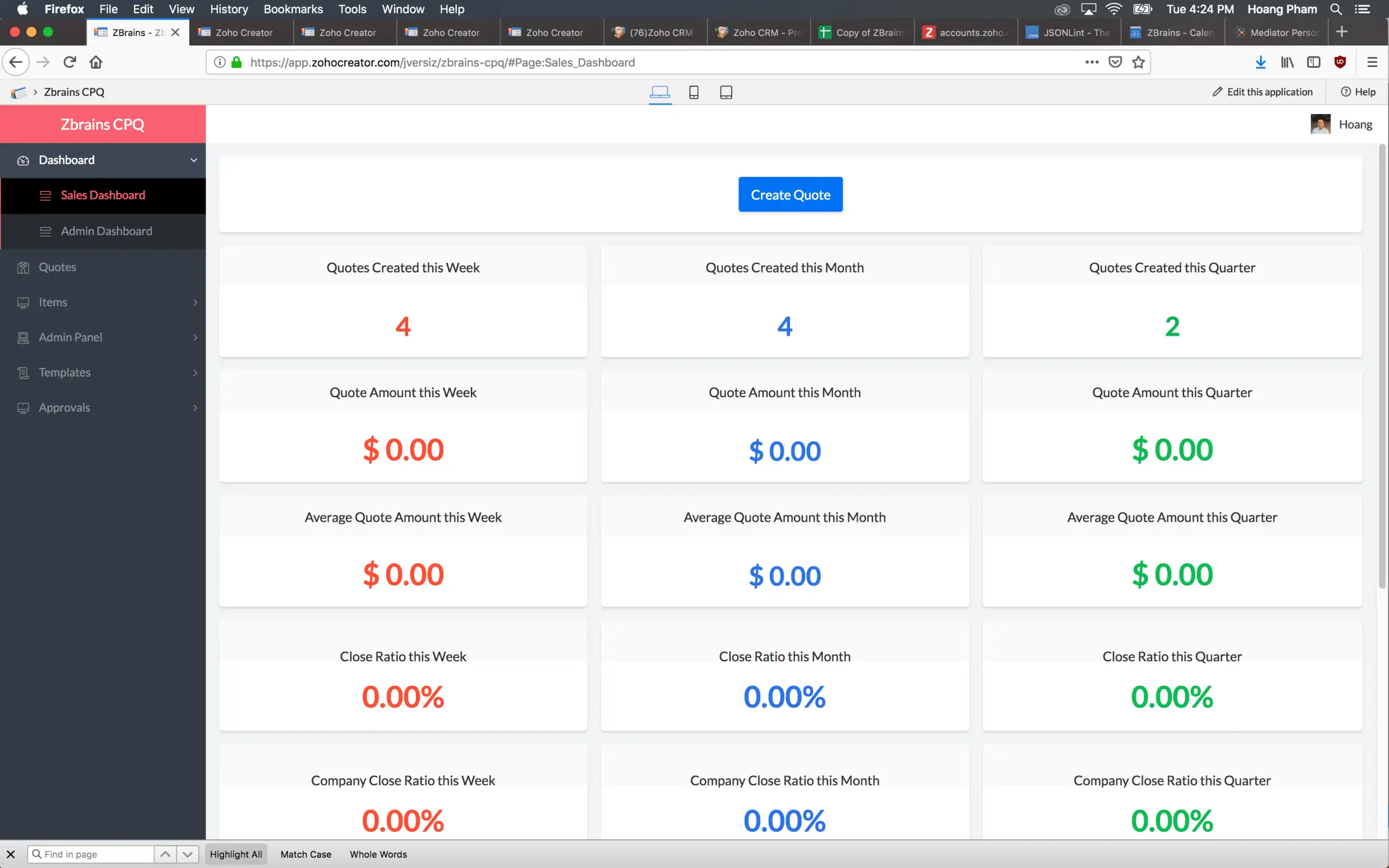
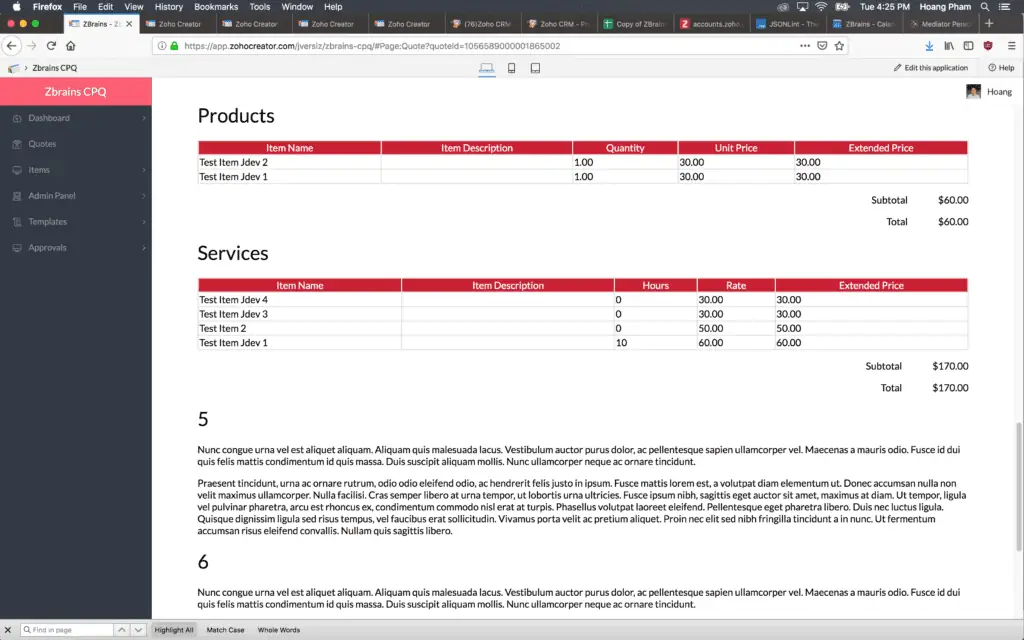 A great integration couples two parts of your business with ease, providing synergy that makes your job easier. Thus is the case with our Configure Price Quote (CPQ) and TaxJar. Generate sales quotes quickly and easily using our CPQ. The resulting process means you rely on just one system rather than an array of programs and personnel.